Is Koala Sampler a viable alternative to the Roland SP-404 or any other sampler? After five years of using it as the brain of my DAWless setup, here is why this mobile app is a lofi producer’s dream for on-the-go beatmaking
Is Koala Sampler a DAW? Understanding the Mobile DAWless Workflow
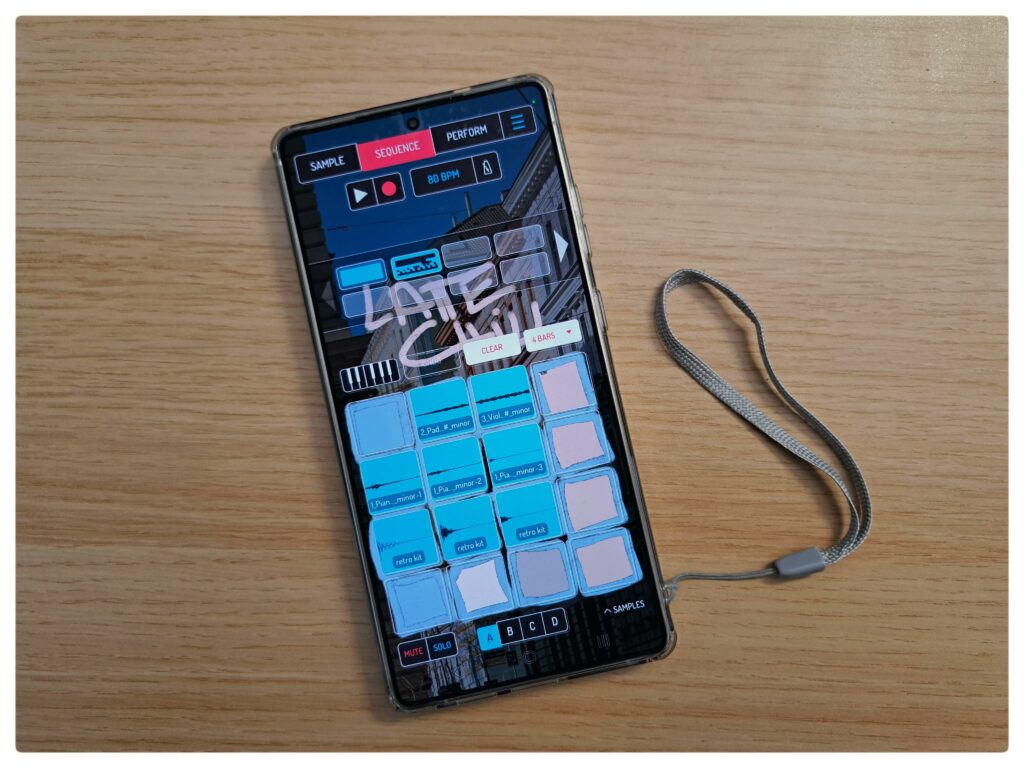
Is it a sampler? Is it a DAW? How DAWless we are with a DAW? Some of the questions I face along my days and weeks as an artist, like reading different Reddits, Quoras and FB comments. Bad news, I am not to challenge all the opinions here, more writing my take: technically, Koala Sampler is a mobile sampler and sequencer, but I treat it as pocket hardware. It offers the freedom of a DAW – composing in a bathtub or on a park bench – without the distractions of a laptop. Because it works entirely offline, it functions as a standalone instrument in a DAWless ecosystem.
Best DAWless Pairings: Koala Sampler & Teenage Engineering PO-33 KO
My favourite ultra-portable setup pairs Koala with the Teenage Engineering Pocket Operator 33 KO (aka PO-33 KO). I use the PO-33 for its gritty lo-fi textures and punch-in FX to layer over my Koala sequences. You can also swap this for a Stylophone or PO-128, depending on whether you need lead synths or bass layers. (See my full PO-33 setup guide for connection tips).
Koala Sampler vs. Roland SP-404: Why I Choose the App
Long story short: money and time. The SP-404 is quite costly, and while I am a long-time fan of its lofi sound, you need deep pockets to acquire one. Additionally, hardware often requires a tremendous amount of time to master. Koala Sampler imitates that classic workflow but simplifies it. You earn “quick wins” easily, yet you can go deeper over the years with resampling, effect buses, and live recording.
How to Mix and Master in Koala Sampler: My Finishing Process
Alas, here comes one of my challenges and weaknesses, even from 5 years ago. Why? I would more like to recap the question like this: Can you master a song in Koala Sampler?
And my answer is the following: Yes. With the built-in 4-bus effects and master channel, you can achieve a polished, competitive sound. However, my professional workflow usually involves two steps:
- Initial Mix: Panning and basic FX within the app.
- Final Polish: I export the project (stems and MIDI) into Ableton Live for surgical EQ, side-chaining, and final stereo widening.”
I still prefer finishing tracks on a laptop to ensure a silent environment for tweaking EQs across genres like rock, metal, and lofi. While Koala supports most of my needs, I view it as a powerful pocket sampler that takes music production out into the world. It is a companion for adventures, helping me produce more lively beats while I save the “homework” of fine-tuning for the studio.
So, I do basic mixing and panning, base effects on my beats to make them sound good. Export the beat itself (usually named the project, including the chords and the tempo) and, in certain cases, I also export the different samples as a pack to enhance my mastering later in Ableton Live.
This is it for now. I hope you enjoyed my short snippet. Disagreeing? I would like to hear your opinion on any of my channels.